Connecting Data to Where it Matters Most
A strategic redesign of RudderStack’s core workflow — reducing onboarding friction, clarifying configuration, and boosting new destination creation by 220%.




- Source
- Connect
- Configure
- Test
- Live
Integrating data across platforms is hard.
Talking about it is also hard, so I will spare you the details.
What I will talk about is how implementing basic UX strategies made it easier.
The Problem
Many of the core functions of RudderStack were built by developers. In this case engineers had designed a form that put everything users could ever want to tell us on one page. (It's too long to show here, but click here to see it.)
It was an act of generosity, that fell short on user empathy.
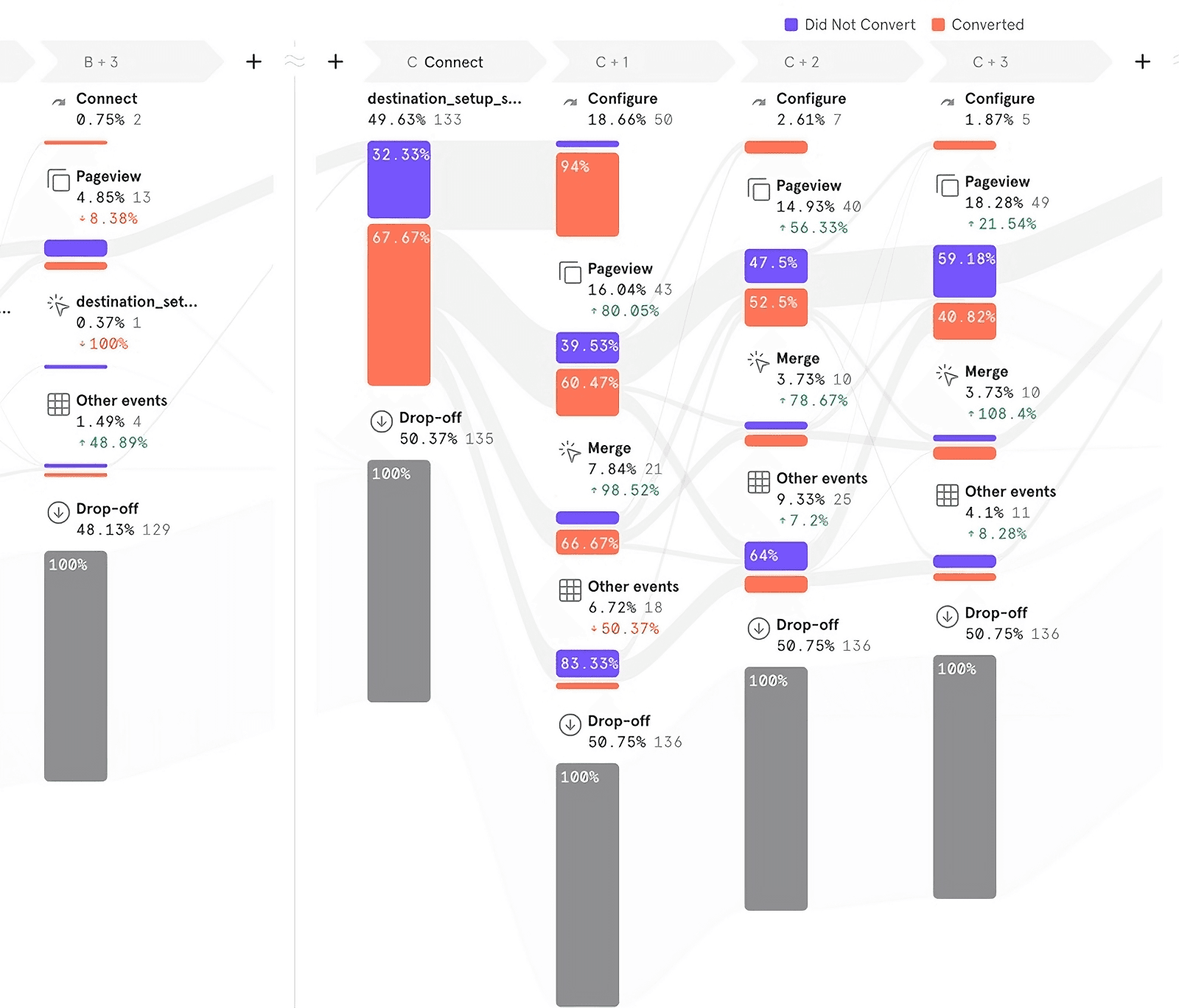
From a design perspective it felt overwhelming. The data backed up that this all-in-one approach wasn't working. Less than 50% of users who started the form completed it.
This was the project that I used to change our process at RudderStack.
Our Approach
To right this ship, we did just three things.
1. Dig into the Data
Up to this point the company didn't do a good job of validating before building. So the team began with an exhaustive exploration of how users setup destinations — looking at behavior data, support tickets, and community feedback. We identified common stumbling blocks and opportunities for simplification.
2. Talk to Customers
Data can tell you what they did but not why, so I led our first ever discovery customer interviews. I wrote a research plan and script focused on open-ended questions about connecting destinations. We learned more about how people set up connections after 3 interviews than we did with all of the data we gathered. We even witnessed a customer struggle for almost 2 hours to configure a Snowflake destination.
“I just spent half of my day trying to configure a Google Analytics destination. I have to constantly refer to the docs to understand what everything does.”
3. Define Unclear Terms
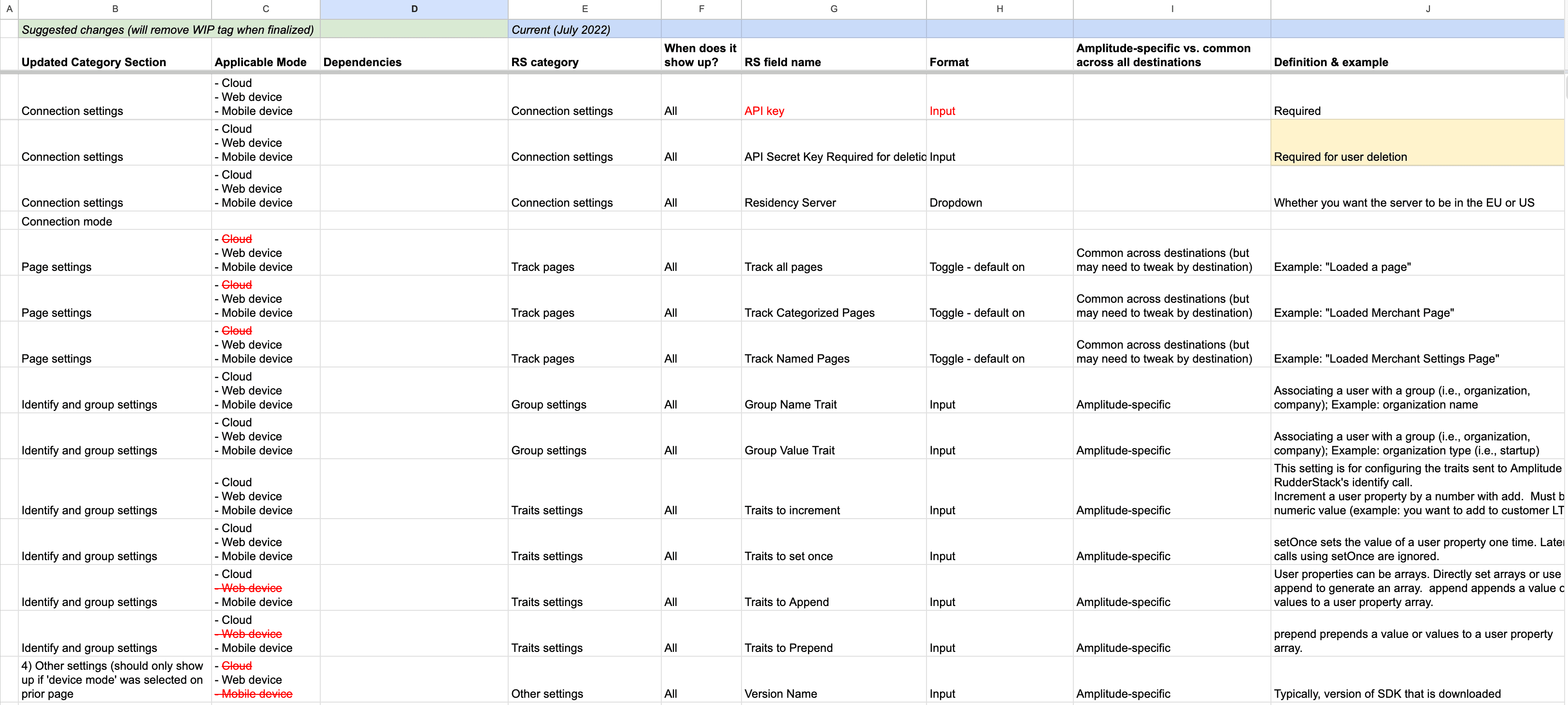
CDPs are complicated, and even the people who make them (us) didn't completely understand some of the fields. So the PM and I sat down with engineering and went field by field figuring out what each did, where the data connected, what the implications were, and what destinations shared that field. We mapped the web of settings and created an enormous and beautiful spreadsheet.
Out of 27 fields only 2 of them were required: Name and API Key. Most importantly we learned that one of the last settings on the list 'Connection Mode' was easily the most important setting and nobody knew it.
Connection Mode: an aside

Connection Mode turned into a mini project all on its own. This little switch, hidden away, had zero helper text, and there was nothing in the docs about it. Only 1 in 5 customers we talked to actually knew what it did. But this little setting was the single most important choice when configuring a destination.
Our biggest problem it seemed was communication. Our UX Writer played a pivotal role in demystifying what exactly this did and why it matters, so customers could make the right choice for them.
The writing defined the final design.
From 27 fields to 2 steps
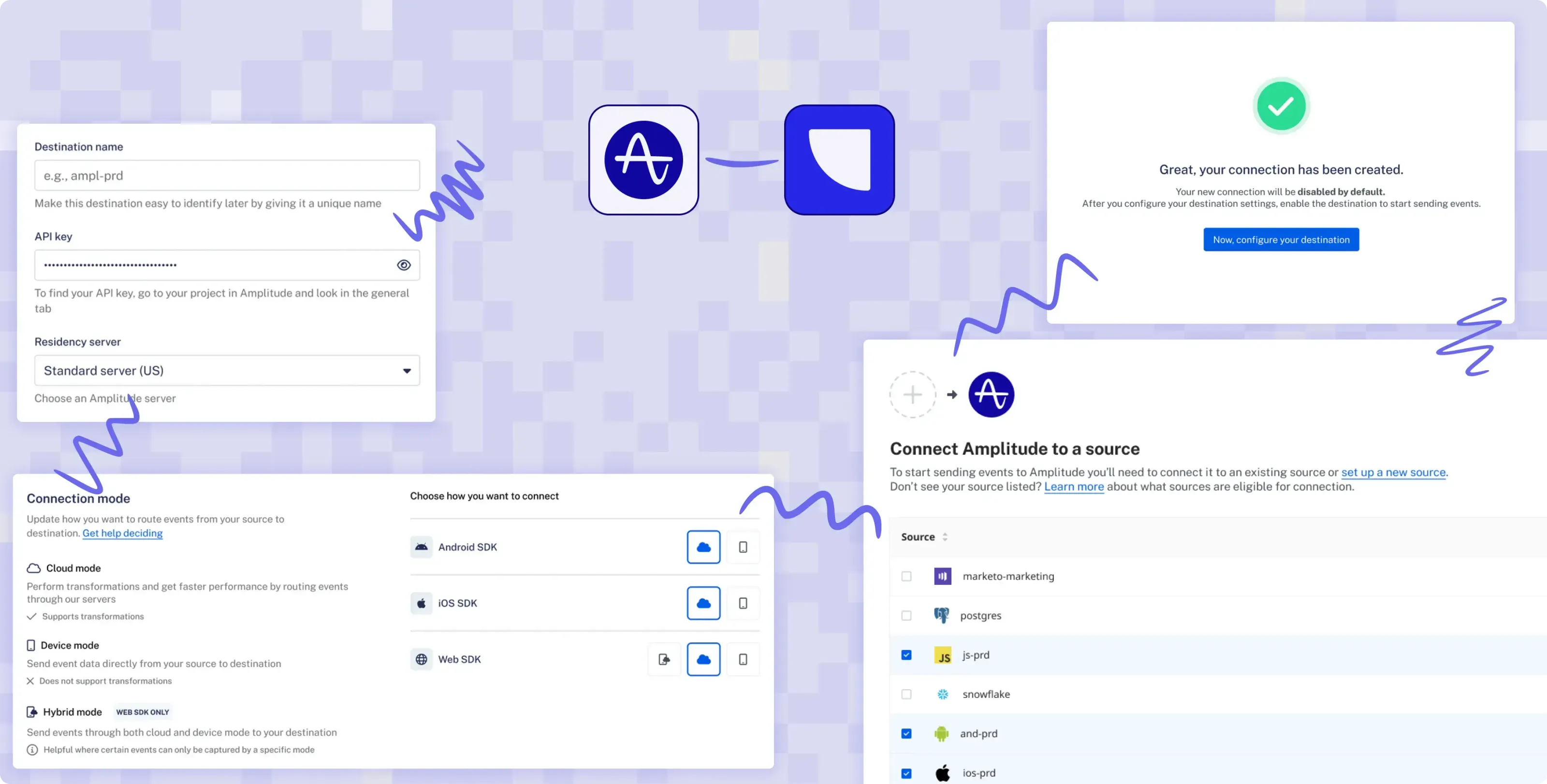
We wanted to get customers to create the destination with as little friction as possible, asking only what was required. With this new workflow, once the destination is created it is disabled by default and the user goes straight to configuration so they can manage all of their settings in their own time and enable it once it’s ready.
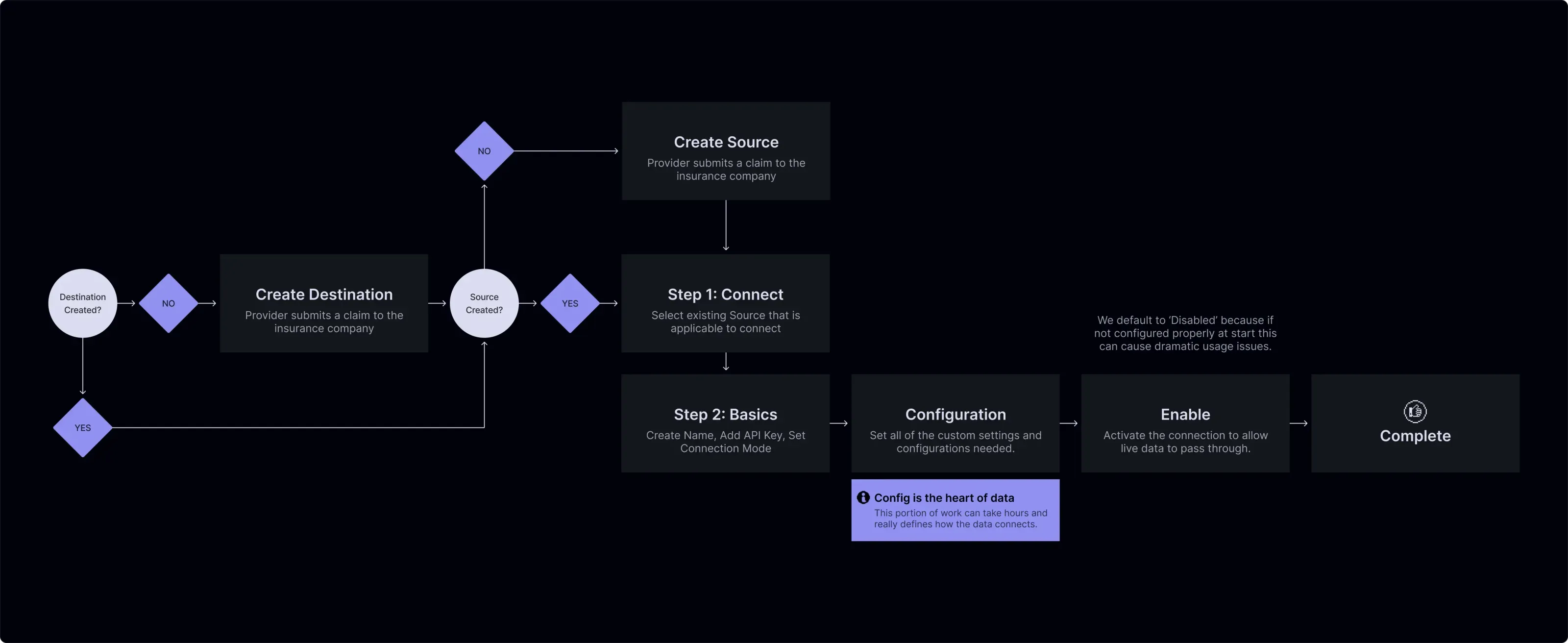
Configuring with ease
We completely redesigned our settings forms to be organized and created plenty of room for helper text, and definitions of each field. We organized the form structure into categories and provided critical information about the categories themselves.
Start with What Matters
We stopped asking for everything up front. The new flow gets users started with just the essentials: pick your sources, name the destination, drop in an API key, and choose a connection mode. That’s it. No clutter, no overwhelm—just a clear path to creating a destination without getting lost in the details.

Created, But Not Live
With the new flow, creating a destination doesn’t mean doing everything up front. Now, users just handle the basics—then land on a confirmation screen that tells them it worked. The destination stays disabled by default, so no data starts flowing until they're ready. From here, users can finish setup on their own time and enable it when everything’s good to go.
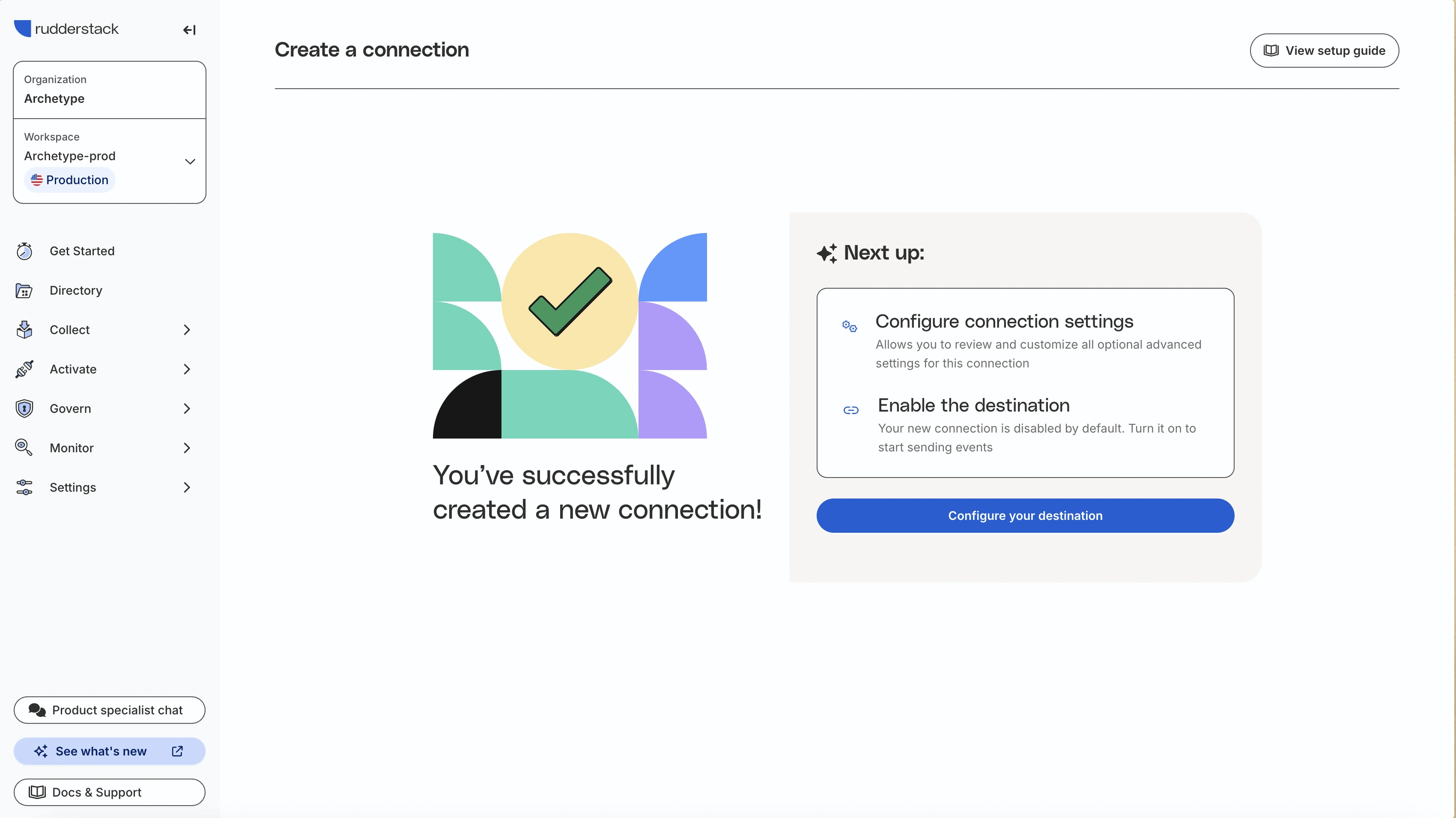
Setup with Confidence
After creating the destination, users land in a focused configuration page built around clarity and context. It’s organized, readable, and adapts based on the connection mode they chose—showing only the settings that matter. Each section includes the right amount of guidance to help users make confident decisions. Once everything’s in place, they save their changes and enable the destination when they’re ready.

Outcomes
The impact of this project had ripples across the product and the business. By streamlining the core creation workflow we boosted new destinations by 220% and drastically decreased the time it took to get set destination set up. These changes also improved our new user retention.
Increase in new destinations being created
Reduction in destination set up time
Boost in user retention during onboarding
Increase in warehouse destinations